Field test
* Tested:
Canon N650U
xsane
healthy
ocrad
* System:
Ubuntu 8.10 Intrepid Ibex
Linux Kernel 2.6.27-11-generic
* Hardware: Intel Pentium IV
2.00 GHz 1024 MB RAM
ATI Radeon 9800 PRO 256 MB DDR II

The old scanner that I used on previous Windows behaves very well also on Linux. This is a Canon N650U flatbed scanner that does not have any important feature (in fact it is outdated and very noisy).
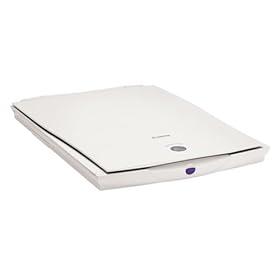
But let's see how it behaves in general, this scanner and packets Xsane Sane and I suppose many other scanners have the same behavior.
connect the scanner to the USB port and open xsane. Search devices and is now found my scanner.

lined with GIMP-style windows, one for the preview, the settings one by one for the histogram: in short, everything (to make small programs for Windows).
begin to load preview (unfortunately the scanner is slow) and I find the image to crop, rotate, adjust, balance and ultimately acquire permanently.
for once no problem with hardware (on Windows I had to install a small program in French heavy that often did not work).
With The GIMP GIMP for Xsan integration exists which can capture the image directly from the scanner. Click on "File -> Open -> Xane -> Device dialog ..." and opens the classic interface of Xane.

Once you get the picture (as you normally do with Xane) it is automatically copied to GIMP is ready for editing.


0 comments:
Post a Comment